




Black Box, a leading ICT Global Solutions Integrator and solutions specialist, is committed to delivering excellence in digital infrastructure solutions. With a strong focus on innovation, expertise, and customer-centricity through tailored Professional & Managed Services, Black Box provides comprehensive and cutting-edge products and solutions tailored to meet the unique needs of its clients.

Countries Worldwide

International Technology Partnerships

Active Client Locations Serviced On-Site

Delivery & Support Centers Across 6 Continents

Universal Representatives

Certifications

Fortune 500 Clients

Global Customers
Our approach at Black Box is best described as "GLOCAL," embodying the philosophy of "Think Global, Act Local." This principle guides us in maintaining strong relationships by providing flexibility to our customers and delivering cost-effective solutions tailored to the specific needs of the countries we operate in.
As a prominent global ICT solutions provider, Black Box is committed to promoting sustainable and responsible business practices. We strive to align our operations with robust sustainability policies, adhere to best practices, and meet high reporting standards. Our ongoing dedication extends to achieving diversity, equity, and inclusion targets within our workplace, ensuring a supportive and inclusive environment for all.
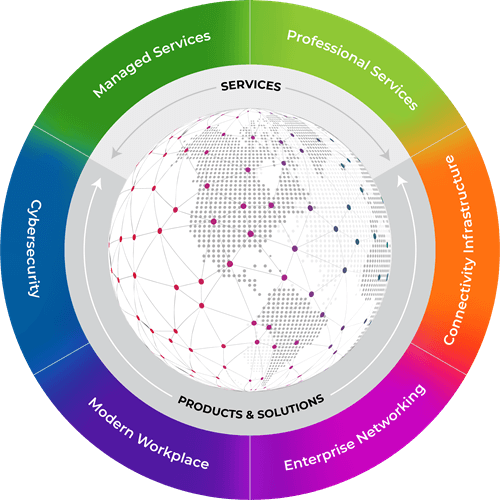
Great customer experiences, exceptional workspaces, and resilient networks all begin with strategic planning and top technical professionals dedicated to delivering solutions and services that help organizations design, build, manage, and secure their IT for future growth.

Spaces need to be interactive, adaptive, and secure. Discover how to enhance security, increase efficiencies, automate operations, and personalize workplace interactions.
Learn More
Accelerated by the pandemic, skyrocketing demand for processing power is driving the demand for new or expanded data centers.
Learn More
Transform networks to empower employees to work and collaborate, securely and seamlessly, anywhere on any device — with no disruption.
Learn More
Faster, better wireless is here now. Develop a strategy that supports everything wireless with mission-critical performance that is built-in from design to deployment and beyond.
Learn More
When you partner with Black Box, you partner with industry leaders. Our vast portfolio includes solutions from our own Black Box Technology Product Solutions business with pro-AV brands such as Radian Flex.
Learn More
Supporting an omni-channel customer journey has become more complex than ever because of the global remote and hybrid work revolution.
Learn MoreTransform how you interact with the ever-evolving digital world. Fuel productivity, gain cost efficiencies, and scale up business opportunities with IT solutions designed to help you build, manage, optimize, and secure your network.

Work seamlessly together to address all your video infrastructure and AV needs. Deploy digital signage, enhance presentations, and extend video beyond the boardroom.
Read More
Find the right solution for storing, securing, and protecting your IT equipment from a wide variety of cabinets, racks, enclosures and accessories.
Read More
Construct and expand networks of all sizes from small offices to global enterprises to deliver optimized security and unlimited bandwidth.
Read MoreEmpowering your enterprise through cutting-edge technology solutions and world-class consulting services, we place your unique business and industry challenges at the forefront of all we do.

Transportation
Keeping transportation operations safe and on-time comes down to having the right connectivity technology and managed services provided to help you track every issue, delay, and emergency in real time so operators can make instant, informed decisions.
Read More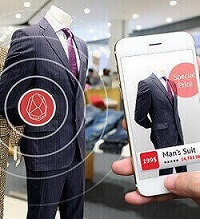
Retail
Digitalization continues to shape the interactive, integrated consumer experience. Competition for customers will be won by those who create and integrate a seamless online engagement with an in-store customer experience.
Read More
Military & Defense
When secure, compliant technology solutions are a must, you need advanced products that meet the latest and most rigid security standards to help you achieve your objectives, meet your budget, and optimize your productivity without sacrificing safety.
Read More
Manufacturing
Wired and wireless infrastructures, integrated communications, IoT devices, and managed service solutions bridge the gap between production and transformation — driving agile manufacturing processes, cost-of-quality, and demand flow output.
Read More
Healthcare
Unlike any other industry, your patients depend on you to be on the cutting edge of technology. Healthcare technology must drive patient care, optimize workflows, improve satisfaction, and streamline operations, all while balancing industry and government regulations.
Read More
Broadcast
Evolving technology and the rapid transition to cloud-based workflows is driving automated broadcast operations for program transmission, master control, news production, and live production.
Read MoreStaying ahead of the technological curve isn’t easy. Learn from industry experts how modern IT is laying the foundation for rapid adoption and achievable innovation, sustainability, and business resiliency.
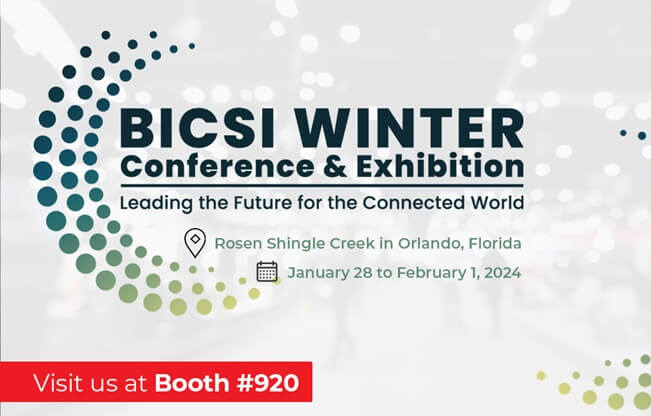
Join us and other ICT professionals from around the world BICSI Winter Conference & Exhibition at the Rosen Shingle Creek hotel in Orlando, Florida. Visit us in Booth #920.
Know More
Black Box announces its participation in the much-awaited DCD Connect Virginia event today. As a leading player in the data center industry, Black Box is proud to showcase its innovative solutions and high level of expertise in this premier educational and networking event.
Register Now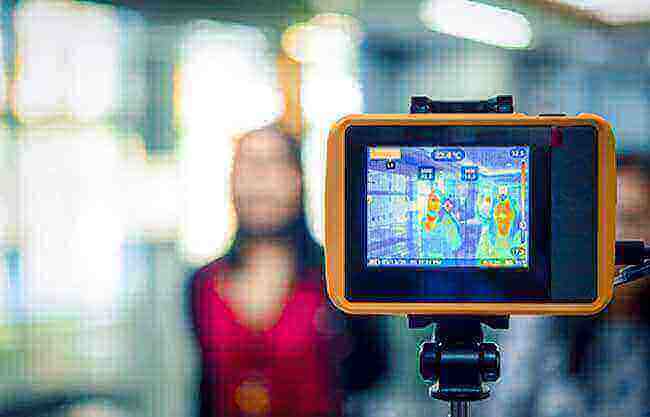
In the post-pandemic world, it’s estimated that 80–85% of workers will return to the office. But it won’t be business as usual. Learn how to prepare your space with advanced IoT safety technology.
Read More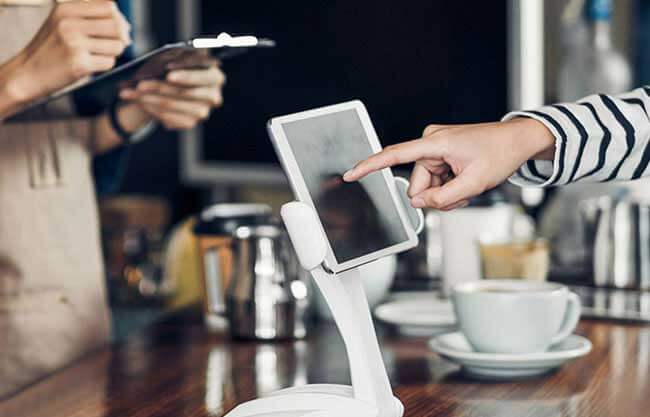
See how you can simplify IT rollouts, check out this article in Chain Store Age: How to Consistently and Quickly Deploy New Technology at Every Store.
Read Blog
Learn how NIAP 4.0 is improving security measures and isolating government and defense agencies’ networks to safeguard information from outside threats and prevent the loss of classified information.
White Paper
Learn how to retool and reimagine your network to support a growing number of users, devices, and locations – all while attracting and retaining top talent in the new hybrid work environment.
Get the GuideWhen our customers succeed, we succeed, even in the most challenging environments and circumstances. See how our team anticipates the ever-changing needs of our customers and helps them accelerate their success.

KVM systems have become critical to sophisticated control room operations dealing with a variety of critical sources; diagnostic laboratories and their control rooms are no exception. Leiden University Medical Center (LUMC), worked with Black Box to build a future-proof KVM infrastructure for its lab and control room and establish a foundation for continued growth and advancement using new techniques and technologies.
Read Case Study
WeFadeToGrey, a German post-production facility specializing in color grading, sought to upgrade its infrastructure for efficient, future-proof workflows. They chose Black Box's Emerald KVM over IP platform, offering pixel-perfect HD signal extension and switching, and enabling colorists to access software tools from any workstation.
Read Case Study
When the pandemic hit, the Black Box team faced the daunting challenge of how to quickly transition Service-Desk Agents to a remote and socially distanced work environment, yet continue to provide mission-critical network and communications services with no disruption for the Miami International Airport. The team seamlessly cut over to a customized cloud-based solution and realized significant annual cost savings and a major reduction in call waiting and queue times.
Read Case Study
To enhance security and reduce loss, an international home improvement retailer wanted to upgrade its analog security cameras to high-tech, IP-based 4K cameras. They turned to Black Box, a trusted partner of more than two decades, for the large-scale, enterprise-wide rollout resulting in a reduction in losses.
Read Case Study
A major financial services company wanted to provide 5G coverage at its facilities across the nation so that staff and guests could benefit from the speed and reliability of 5G, including at below-ground tornado shelters. Black Box engineered and delivered a turn-key solution that uses DAS.